
Home Network Security: Why Your Wi-Fi Needs More Than an ISP Router
By Nate Daniels ·
Most people would never leave every door in their home unlocked for five years and assume everything was still fine. We check smoke detectors, maintain our cars, replace worn locks, and sometimes install cameras or alarm systems. Yet the network connecting many of the most sensitive devices in the house is often installed once and barely looked at again.
Home network security deserves more attention because the average home network is no longer just a laptop and a Wi-Fi router. It may connect phones, tablets, televisions, streaming boxes, printers, cameras, doorbells, thermostats, voice assistants, game systems, appliances, network storage, and the computers used for work. All of those devices eventually depend on the same network.
An internet service provider’s modem or router may be perfectly adequate for basic internet access. That is not the same thing as having a network that is professionally designed, maintained, and monitored. The difference becomes more important as a home adds devices, remote work, valuable data, and smart-home systems.
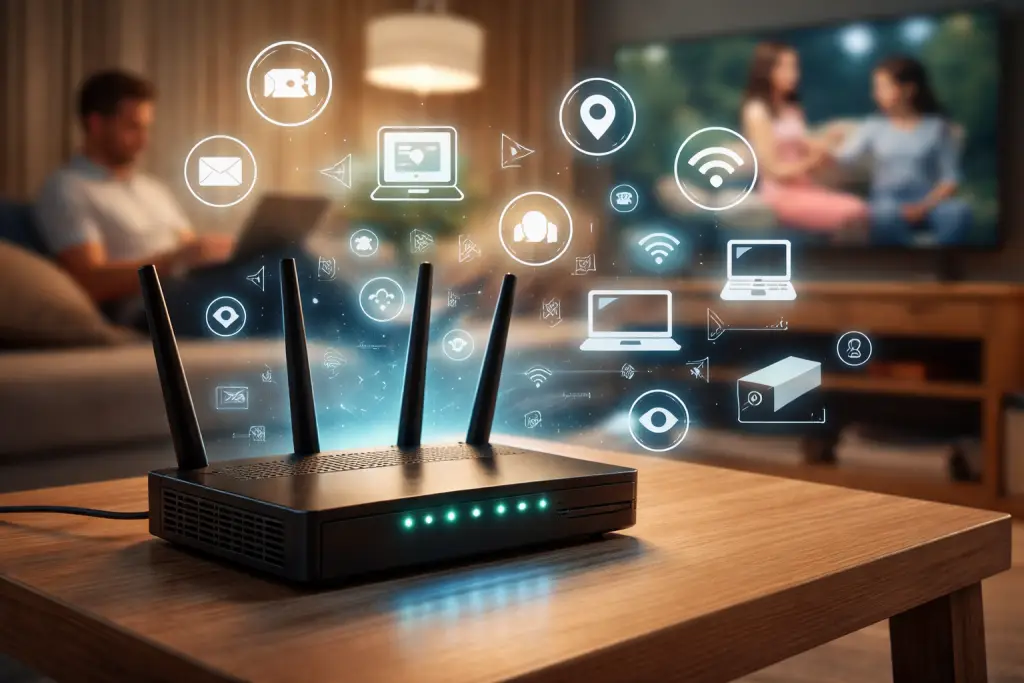
Your Home Network Is Bigger Than You Think
Walk through your home and count everything that connects to Wi-Fi or a network cable. Most people stop counting much sooner than their router does. A family of four can easily have dozens of connected devices once phones, computers, watches, TVs, speakers, cameras, consoles, printers, and smart appliances are included.
Each device is another piece of equipment with software, settings, passwords, and a support life. Some receive updates automatically. Some need manual attention. Others quietly stop receiving security updates while continuing to work, so there is no obvious sign that they have become outdated.
That does not mean every smart device is dangerous. It means each device should be understood as part of a larger system. One poorly configured or unsupported device can create avoidable risk, especially when every device has unrestricted access to everything else on the network.
What Your ISP Router Actually Does
Your modem connects your home to your internet provider. Your router directs traffic between your devices and the internet. Many providers combine both functions with Wi-Fi in one gateway box.
ISP equipment is generally built to get customers online quickly, support a wide variety of devices, simplify setup, and allow the provider to troubleshoot common problems remotely. Those are useful goals. In many homes, the equipment provides reliable service and reasonable built-in security when it is current and configured correctly.
The limitation is that convenience and broad compatibility are not the same as detailed network management. A basic gateway may offer little insight into what each device is doing, limited security logging, basic firewall controls, minimal alerting, and only simple guest-network options. It may not support the level of segmentation, custom policy, or long-term planning that a busy home or home office needs.
The fair question is not, “Is every ISP router insecure?” The better question is, “Does this equipment provide the visibility and control that this particular home needs?”
Why Relying Only on ISP Equipment Can Be Limiting
When the internet works, it is easy to assume the network is healthy. Connectivity only tells you that traffic is moving. It does not tell you whether an unknown device joined, whether a camera is running old firmware, whether remote administration is enabled, or whether unusual activity deserves review.
Common limitations may include:
- Limited visibility into every connected device
- Minimal security logs and no practical way to review them
- Few meaningful alerts when something changes
- Guest, smart-home, and trusted devices sharing one network
- Administrative passwords or settings that have not been reviewed in years
- Equipment that is old or no longer receives firmware updates
- Limited control over DNS filtering and other security features
- Difficulty recognizing unusual traffic or intermittent equipment failures
Some modern ISP gateways handle several of these areas well. Others offer only the basics. The right decision depends on the equipment, the provider, the number and type of devices, and how much control the household actually needs.
Your Smart Devices Change the Security Equation
The term Internet of Things simply means everyday equipment that connects to the internet. Cameras, video doorbells, televisions, thermostats, voice assistants, printers, lighting controls, appliances, and smart garage systems all fit that description.
These products are built for different purposes by different manufacturers. Their update schedules, privacy settings, and security quality vary. A television may remain in service for many years. A low-cost smart plug may have an app that is eventually abandoned. A printer may be forgotten until it stops working.
One practical improvement is to place certain device groups on separate parts of the network. Network professionals often call these separate networks or VLANs. You do not need to understand the terminology to understand the idea: your security cameras do not necessarily need unrestricted access to the same part of the network as the computer containing tax records or business documents.
A guest network is the simplest example. Visitors can reach the internet without joining the trusted network used by family computers. A more capable setup can also separate cameras, smart-home equipment, work devices, and network storage while still allowing the connections that are genuinely needed.
The FTC recommends considering a separate network for home security cameras. CISA’s guidance for remote work also explains that segmentation can separate guests, smart devices, personal computers, and work computers so they do not all communicate freely.
Security Is Not Something You Configure Once
Installing good equipment is a starting point. Managing it is the ongoing work.
Routers and access points receive firmware updates. Computers and phones need operating-system and application updates. New devices appear. Old equipment becomes unsupported. Backup jobs fail. Security software produces alerts. A setting changes during troubleshooting and may never be changed back.
Home network monitoring can help identify changes that would otherwise go unnoticed, such as an unfamiliar device, repeated equipment failures, a security alert, or a supported device falling behind on updates. Monitoring is not a guarantee that every attack will be prevented. It creates visibility and a process for deciding what needs attention.
Think of it like the difference between installing a solid lock and having a security system. The lock is important. The system adds awareness when something changes. Neither makes a home invulnerable, but both can be valuable parts of a sensible plan.
Why Monitoring Matters Even If You Are “Just a Home User”
Homeowners may not have a server room, but they still have information worth protecting. Email accounts can be used to reset other passwords. Computers may contain financial records, tax documents, family photos, saved passwords, identity information, and access to cloud accounts. Cameras and smart-home controls also affect privacy and physical spaces.
The phrase “just a home user” can hide how dependent a household has become on technology. If the Wi-Fi fails, work may stop, cameras may disconnect, entertainment disappears, and smart controls can become unavailable. If an account or computer is compromised, the consequences can reach well beyond one device.
Antivirus is useful, but it cannot manage the router, update every smart device, verify backups, separate network traffic, protect every online account, or review every alert. Home cybersecurity works best as a set of layers rather than one product.
A Home Office Deserves Even More Attention
Remote workers, consultants, self-employed professionals, and small business owners often mix personal and business technology on the same internet connection. A work laptop may sit beside personal computers, children’s devices, televisions, cameras, and older smart equipment.
At that point, the home network has become part of the working environment. Reliable Wi-Fi, appropriate separation, current equipment, secure remote access, multifactor authentication, endpoint protection, and dependable backups all matter more.
Company-managed computers may already have strong controls, but those controls do not automatically improve the router or every other device in the home. A thoughtful design can give work systems a cleaner, more predictable place to operate without making the household difficult to use.
What You Can Do Right Now
You do not need an enterprise network to make meaningful improvements. Start with the basics and document what you change.
- Change the router’s administrative password. Use a strong, unique password that is not the same as the Wi-Fi password.
- Use a strong, unique Wi-Fi password. Avoid reusing a password from an email or online account.
- Use WPA2 or preferably WPA3 when supported. Older WEP and original WPA settings should not be used.
- Keep router firmware updated. Ask your ISP whether it manages updates automatically, or follow the manufacturer’s process.
- Replace unsupported equipment. A router that no longer receives security updates should not remain in service indefinitely.
- Disable unnecessary remote administration. If you do not need to manage the router from outside the home, turn that feature off.
- Review connected devices periodically. Identify unfamiliar devices and remove equipment that is no longer used.
- Use guest networks where appropriate. Keep visitors from joining the same network as trusted computers and storage.
- Separate smart or untrusted devices when practical. Cameras and appliances often do not need broad access to personal or work systems.
- Keep computers and phones updated. Enable automatic updates where they are appropriate.
- Enable multifactor authentication. Start with email, banking, cloud storage, and other important accounts.
- Maintain reliable backups. Keep more than one copy of important files and confirm that recovery is possible.
- Use modern managed security software. Security tools should be current, monitored, and supported.
- Know who to contact. Decide in advance who can help when a device behaves strangely or an alert appears.
The FTC’s home Wi-Fi guidance supports unique router and Wi-Fi credentials, WPA3 or WPA2 encryption, current firmware, disabled unnecessary remote features, guest networks, and an enabled firewall. The FTC also advises homeowners to inventory connected devices, update them, and disable features they do not use. CISA similarly emphasizes updates, multifactor authentication, backups, and secure network practices in its digital home guidance.
What Professional Network Management Adds
There is a meaningful difference between fixing the internet after it breaks and overseeing technology before problems become emergencies.
Professional network management can add device inventory, configuration standards, supported firewall and router settings, firmware oversight, appropriate network separation, health monitoring, alert review, troubleshooting, documentation, and lifecycle planning. Managed endpoint security can extend that oversight to covered computers.
The most useful advantage is context. A professional who understands what devices belong in the environment, how they are configured, and what normal operation looks like is better prepared to recognize a change. That does not eliminate risk. It reduces guesswork and gives the homeowner or business owner a clear support path.
Professional management should also be proportionate. A simple apartment with a few current devices may need only good settings and periodic review. A larger home with cameras, network storage, remote workers, multiple access points, and extensive smart equipment may benefit from a more capable design and ongoing oversight.
How The Computer Specialists Can Help
I own The Computer Specialists, where the focus is practical, proactive technology support. The company’s primary service model is built around businesses and organizations, so not every residential request will automatically be a fit. Still, some homeowners and home-office users have needs that look much more like a small professional environment than a basic household setup.
Managed Security & Monitoring and cybersecurity services may be appropriate for organizations or individuals who want proactive oversight without a complete Managed IT relationship. For suitable business and home-office environments, The Computer Specialists also provides network design, management, and Ubiquiti UniFi expertise. Broader Managed IT services are designed for small and mid-sized businesses that need ongoing support across computers, networks, security, cloud services, and backups.
The goal is not to replace equipment for the sake of replacing it. It is to understand what you have, what matters, where the real gaps are, and whether better configuration, separation, monitoring, or lifecycle planning would provide useful value.
If you would like help determining whether your home, home office, or small-business network could benefit from stronger security, monitoring, or professional management, contact The Computer Specialists for a fit conversation.
Frequently Asked Questions
Is an ISP-provided router secure?
It can be. Current ISP equipment with supported firmware, strong credentials, modern encryption, and appropriate settings may provide reasonable basic security. The question is whether it also provides the visibility, controls, and monitoring your environment needs.
Do I really need network monitoring at home?
Not every home needs professional monitoring. It becomes more valuable as the number of devices, smart systems, work-from-home responsibilities, sensitive data, or network complexity increases.
How often should a home router be updated?
Install firmware updates when the ISP or manufacturer releases supported updates. Check periodically if updates are not automatic, and replace equipment that no longer receives security support.
Should smart-home devices be on a separate network?
Often, yes. Separating cameras, appliances, guest devices, and other smart equipment from personal or work computers can reduce unnecessary access between device groups.
Is antivirus enough to protect a home network?
No. Antivirus is one useful layer. Router configuration, updates, account security, network separation, backups, device management, and alert review also matter.
Can a professional monitor a home or home-office network?
Yes, when the equipment, service scope, and provider are a good fit. Monitoring may cover supported network equipment, computers, device health, security conditions, and alerts, but it cannot guarantee that every incident will be prevented.
Your Internet Connection Is Home Infrastructure
Your internet connection is now part of the infrastructure of your home. It supports communication, work, entertainment, cameras, smart controls, personal records, and access to important accounts. Protecting it should involve more than plugging in whatever equipment was provided when service was installed and forgetting about it for the next five years.
Start with strong settings, current equipment, updates, account protection, backups, and a clear understanding of what is connected. Then decide whether your network has become important or complex enough to justify better separation, monitoring, or professional management.
To learn what a practical next step could look like, explore The Computer Specialists or request a conversation about your home office or small-business environment.